How to Follow the 2026 MLB Playoffs: Live Bracket, Series by NUT, and Postseason Leaders
The Wild Card round is done and the Division Series is underway. The White Sox, Yankees, Braves and Padres advanced, and the Rays, Guardians, Brewers and Dodgers joined them after first-round byes.
Baseball NUT follows all of it in the browser on any phone. It’s free, there’s no account to make, and there’s nothing to download. Here’s where everything lives.
1. Open the Playoffs tab
From the Wild Card round through the World Series, a Playoffs tab leads the app’s navigation. A dot lights up on it whenever a postseason game is in progress. It opens the live playoff bracket.
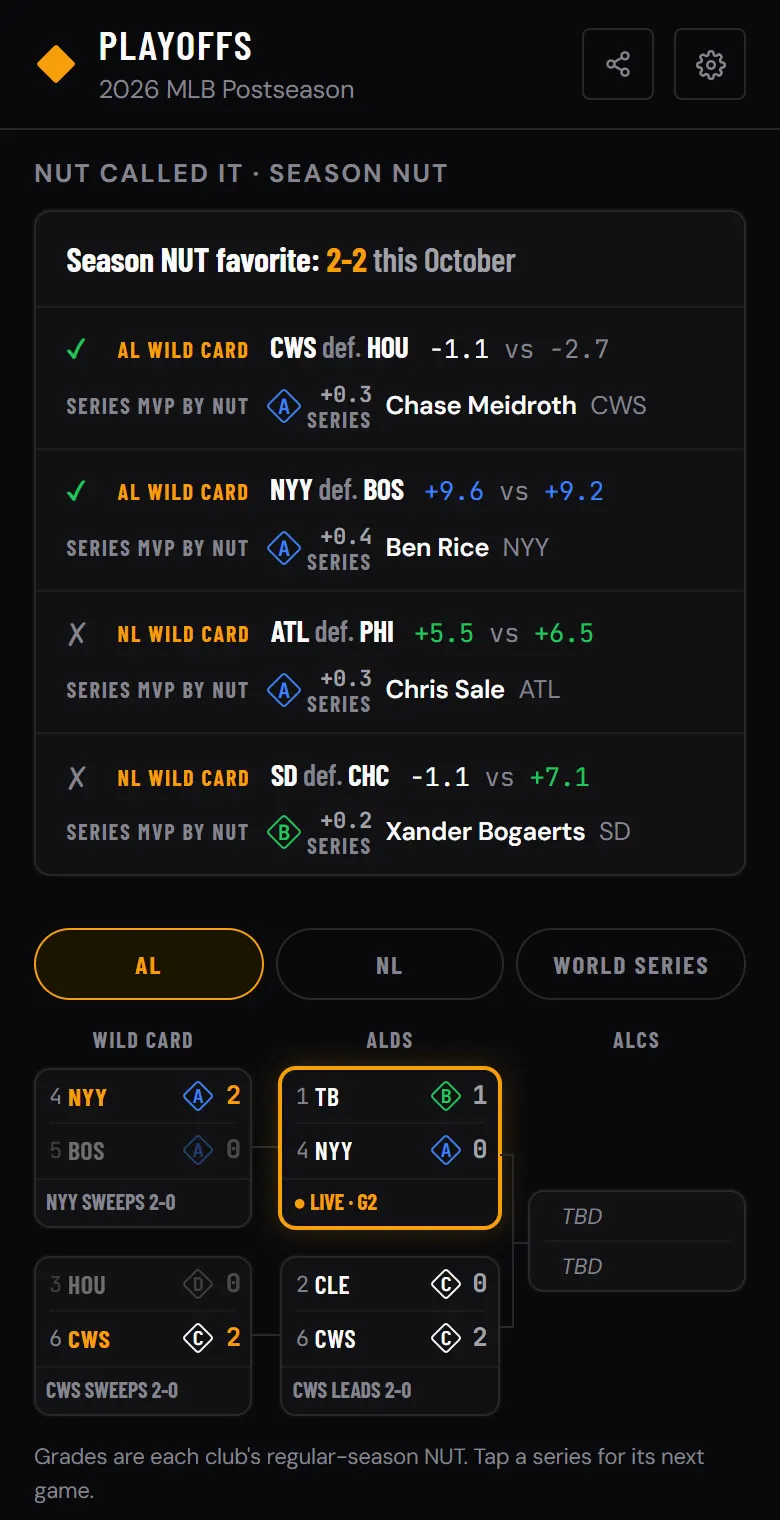
Pick AL, NL or World Seriesto see that side of the bracket. Every series shows both seeds, the series score and each club’s grade from its regular-season NUT. A live series is outlined in amber with the game number, and tapping any series with a game coming up opens that game.
2. Check whether NUT called it
Above the bracket, NUT called it tracks how the club with the higher regular-season NUT has done in every finished series. A check means the favorite won, an X means the upset. Through the Wild Card round the favorite is 2-2: the White Sox and Yankees won as the higher-NUT club, and the Braves and Padres won as the lower one. San Diego beat the Cubs despite an 8.2-point season NUT gap.
Each finished series also names its series MVP by NUT: the player whose hitting and pitching across that series’ games added up to the most production.
3. Read each series by NUT
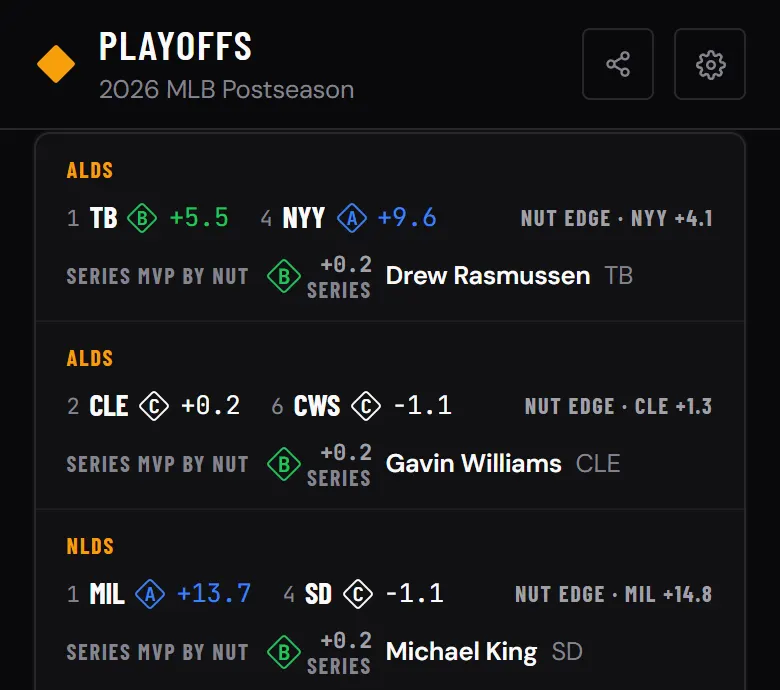
Below the bracket, Series by NUT lists every series still being played. Each row shows both clubs’ season NUT, the NUT edge (which club produced more over the regular season, and by how much) and the series MVP by NUT so far. A season NUT edge is not a prediction. It tells you which club was the better producer over 162 games, which makes an upset easy to spot.
4. Follow your team’s series
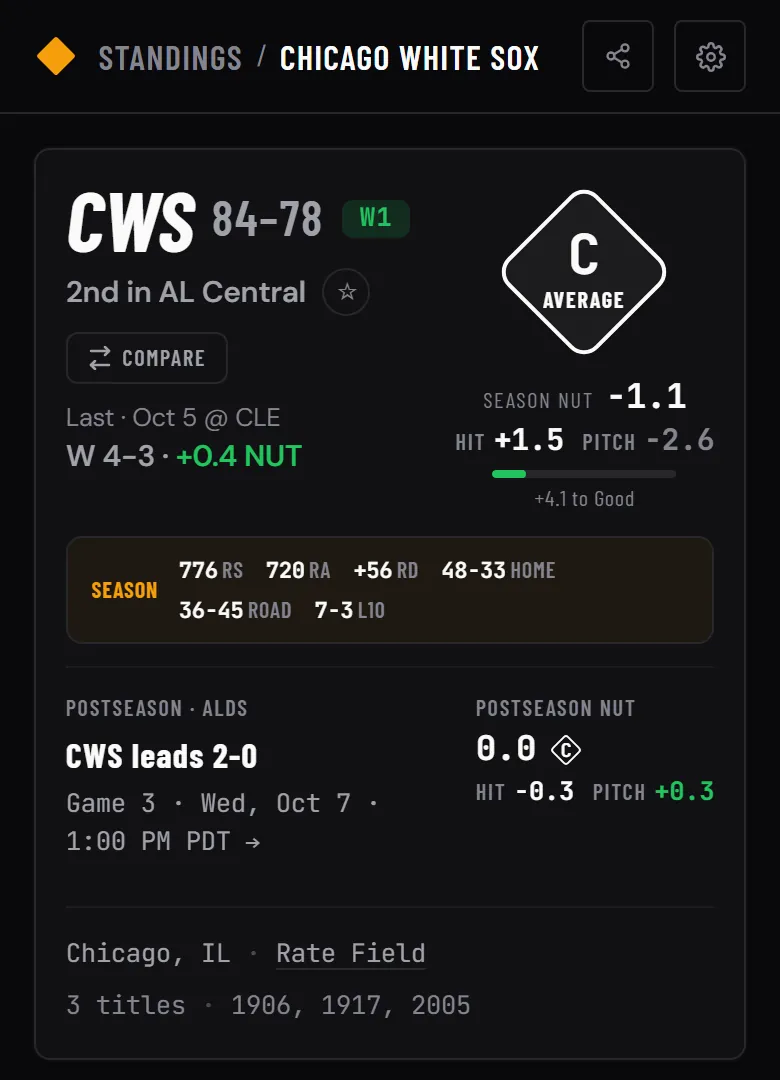
Every playoff club’s team page gets a postseason card near the top. It shows the round and the series standing, the next game’s date and time (or Live now during a game, linking straight to it), and the club’s postseason NUT, with hitting and pitching split out.
5. See who’s producing this October
The Postseason NUT leaders board ranks every player by NUT from postseason games only. Switch between hitters and pitchers, or flip to Teams to rank the clubs. The distribution chart above the list shows how the whole field is grading.
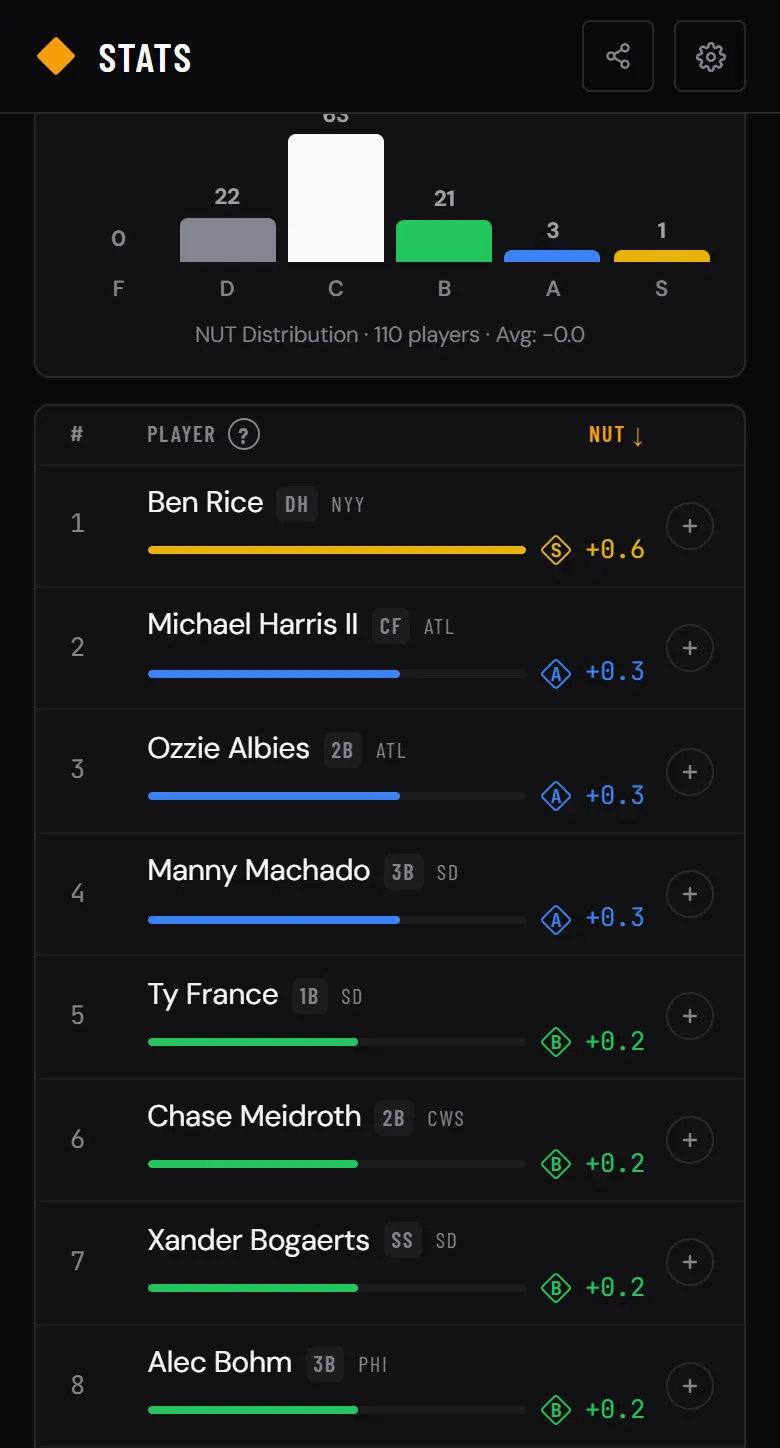
Postseason grades use their own scale. A full October tops out near +1.0 NUT for a player, while an S-grade regular season takes +5.0 for a hitter, so a +0.3 in October is already an A. Tap any grade to see the bands and the reason behind them.
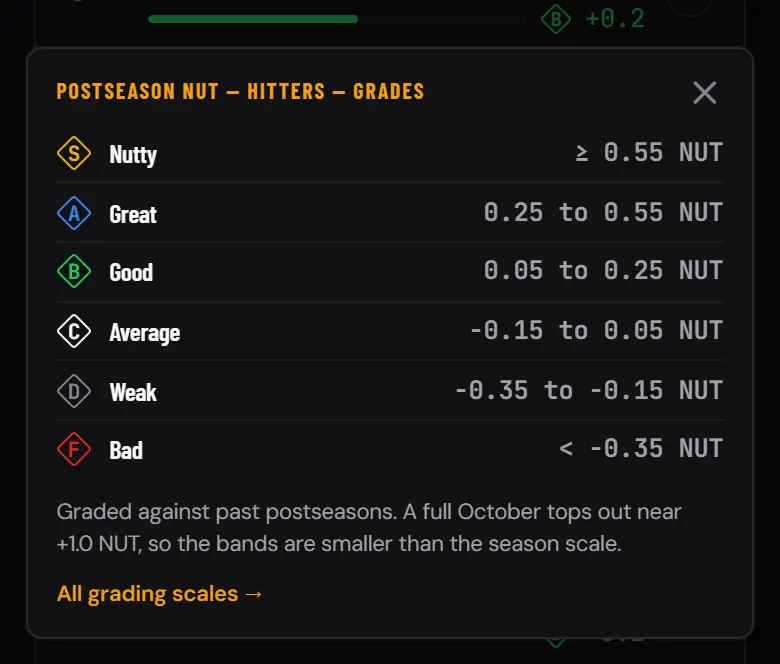
Every scale the app uses is laid out on the About page. A player’s own page adds a postseason card once he has played in October, with his postseason NUT and line, and the Compare tool has a Regular Season | Postseason toggle for players and teams.
6. Open any playoff game
A postseason game page adds three things to the usual box score, play by play and live pitch-by-pitch view:
· The series so far: every game of the series with its score and top NUT performer, plus the series MVP by NUT.
· A Regular Season | Postseason toggle on the NUT Matchup card that switches the card and the lineups to postseason numbers, including each starting pitcher’s postseason record, ERA and NUT.
· What’s at stake before and during the game, such as “Winner take all” or which club can clinch.
7. Catch up from the scoreboard and News
The scoreboard opens with a strip of the series being played right now, scores included, and each card names the round and series standing. The News feed gives every postseason game its own item with the series standing and the game’s top NUT performer, and flags each morning’s elimination and clinch games.
Watching on delay? Turn on Hide final scores in Settings. The ticker, which carries the series scores in October, disappears from the scoreboard, and scores stay covered until you tap Reveal. How spoiler mode works →