How to Follow an MLB Game Live, Pitch by Pitch — Free, on Your Phone
The Wild Card round opens Tuesday, September 29, and most of those games start during the workday. If there’s no TV in front of you, the next best thing is a screen that shows every pitch as it’s thrown.
Baseball NUT does that in the browser on any phone. It’s free, there’s no account to make, and there’s nothing to download. Here’s how to use it.
1. Open a live game from the scoreboard
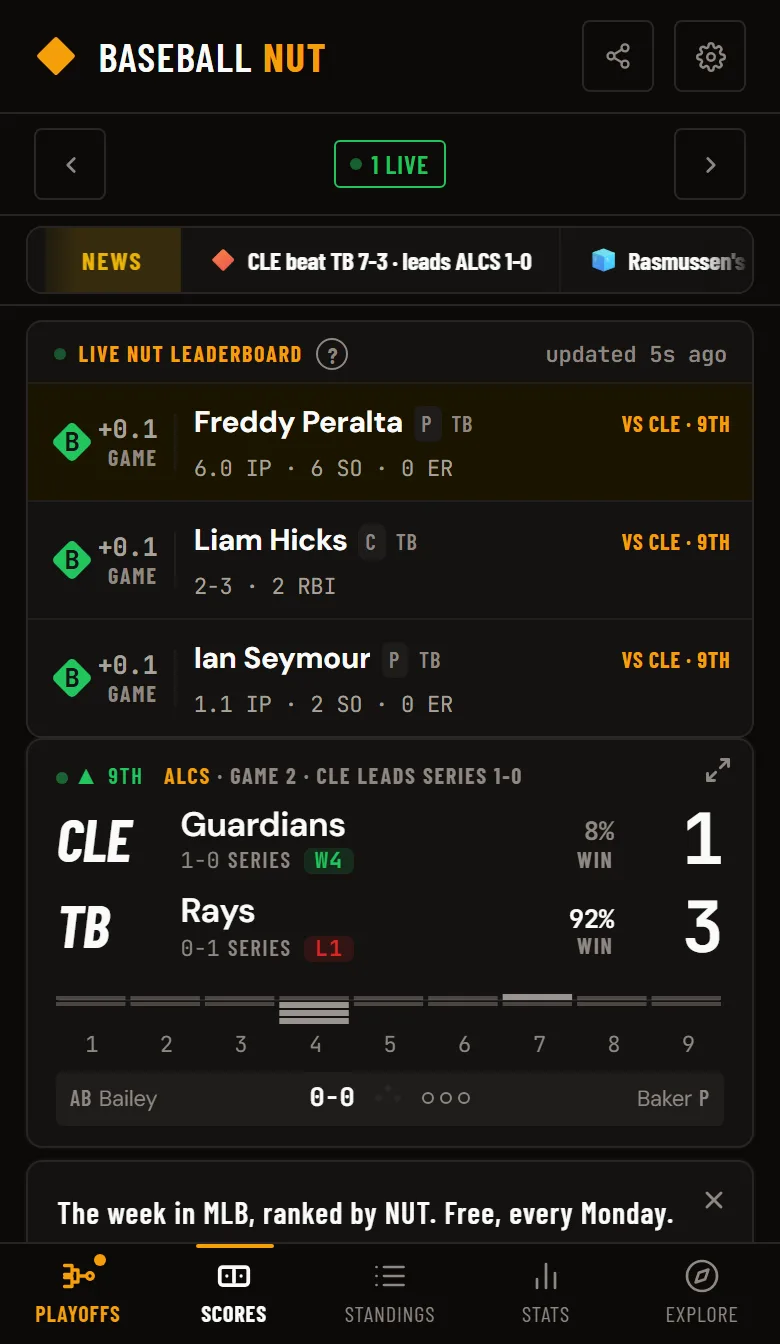
Go to the scoreboard. Games in progress show the count, the batter and the pitcher right on the card. In the postseason each card also names the round and the series standing, for example ALDS · Game 3 · TOR leads series 2-1.
Tap any game to open its page. The Live At-Bat panel sits at the top, and it refreshes every 15 seconds on its own. You never have to pull to refresh.
2. Go full screen for the strike zone
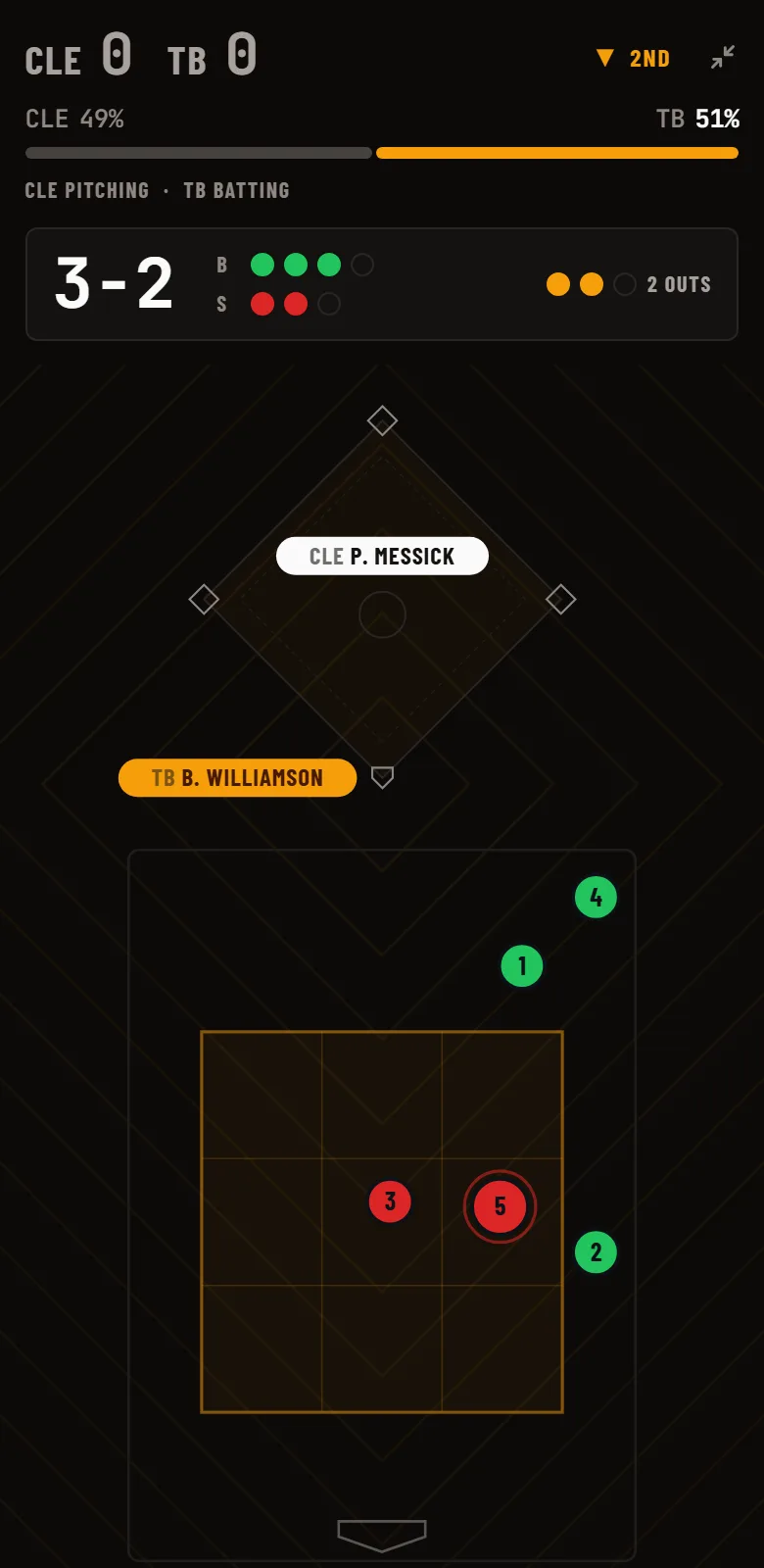
Tap the expand arrow in the corner of the Live At-Bat panel, or the arrows in the corner of any live game on the scoreboard. Full screen turns your phone into a pitch tracker:
· The strike zone, with every pitch of the at-bat plotted and numbered in order.
· The pitch log, with each pitch’s speed in mph, its type (four-seam, slider, sinker and so on) and the result.
· The count, outs, inning and score across the top.
· The bases, with each runner’s name on his base.
· Who’s next: the last hitter’s result, then the next two batters with their line so far today.
Pitches are color-coded so you can read the at-bat at a glance:
Tap a pitch in the log and its dot lights up in the zone. Tap a dot and its row lights up in the log. Press back or tap the arrow again to leave full screen.
3. See how the batter and pitcher are doing today
Next to the batter and the pitcher is a grade for their game so far, from their game NUT. NUT measures production against league average, built on the same inputs as wOBA for hitters and FIP for pitchers. A pitcher sitting on a C through five innings is holding even. An A means he’s dealing. Below it is the plain stat line: innings, strikeouts, earned runs and pitch count for the pitcher, hits and at-bats for the hitter.
4. Watch win probability move
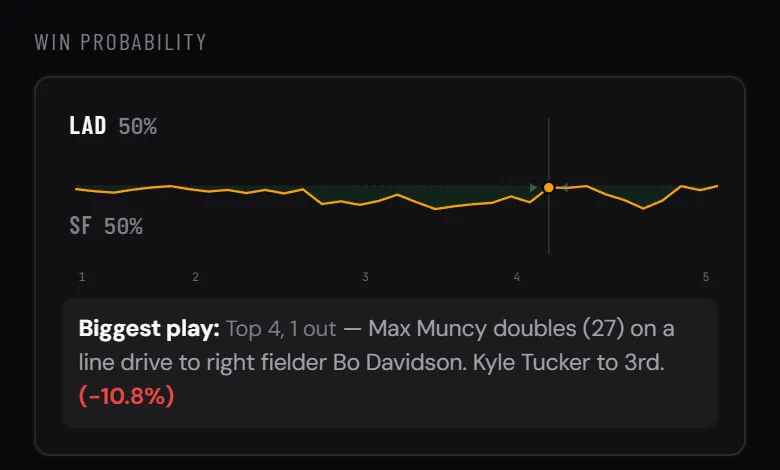
Further down the game page, the Win Probability chart tracks each team’s chance to win as the game goes. A two-run double in the seventh shows up as a jump in the line, so you can see which at-bats swung the game without reading the whole log. Under the chart, Biggest at-bat names the single at-bat that moved it most, with the swing credited to the team it helped.
5. Catch up on everything you missed
Opening the game in the fifth inning? Full screen lists every play from earlier in the game, newest first and grouped by half-inning, with the score after each run-scoring play. On the regular game page you also get the line score, the full box score and the complete play by play.
6. Watching on delay? Hide the score
If you’ll watch the replay tonight, turn on Hide final scores in Settings. Scores, series lines and anything else that gives away a result stay covered until you tap Reveal. How spoiler mode works →
7. Put it on your home screen
Baseball NUT installs like an app without going through an app store. On iPhone, open baseballnut.app in Safari, tap Share, then Add to Home Screen. On Android, open it in Chrome, tap the menu, then Install app. It opens full screen from its own icon, with no browser bar.
During the postseason
From now through the World Series, a Playoffs tab leads the app. The live playoff bracket shows every series score and each team’s NUT grade, and any series with a game on opens straight to it. To see who is producing this October, open the Postseason NUT leaders.