MLB Transactions Tracker — Trades, Call-Ups, IL Moves & More
During an MLB season, dozens of roster moves happen every single day. Trades, call-ups, injured list placements, DFAs, signings, releases. If you're a fantasy manager, a fan following a rebuilding team, or just someone who likes knowing what's happening across the league — you need a clean way to see all of it in one place.
That's why we built the Transactions page on Baseball NUT. Every MLB-level roster move, updated every 5 minutes, filterable by team and type. No ads, no account, no clutter. Here's how it works and why it matters.
Transaction Types at a Glance
Every transaction gets a color-coded badge so you can scan a full day's moves in seconds. Here's what each one means.
What the Feed Looks Like
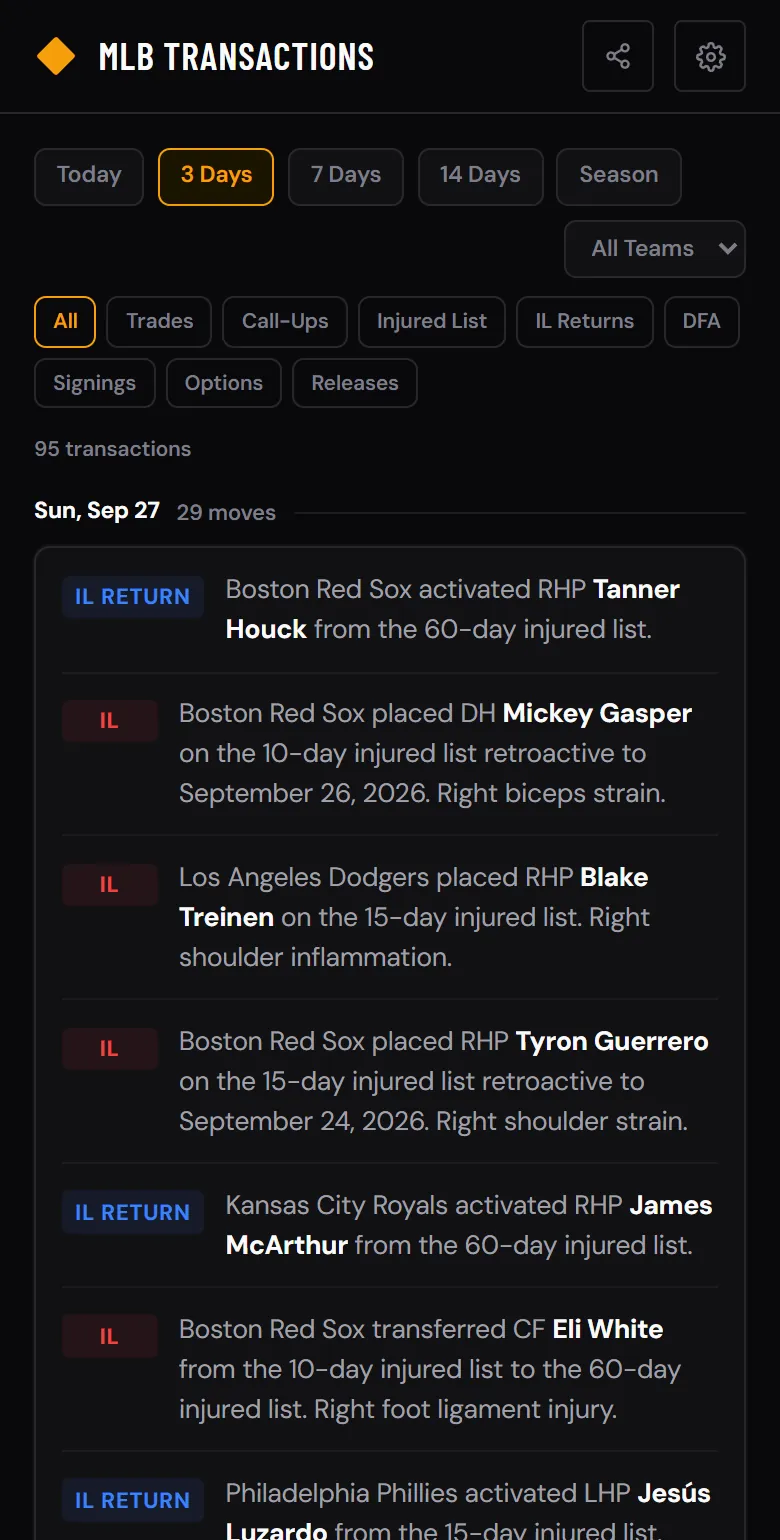
Transactions are grouped by date, with the most recent day first. Each move shows the badge, the full MLB description, and a link to the player's profile.
Sample transaction feed. Tap any player name to open their full profile.
Powerful Filters, Zero Complexity
Three filter layers let you find exactly what you're looking for without wading through noise. Here's how they work together.
How Many Transactions Happen Per Day?
More than you think. On a typical day during the regular season, MLB teams make 15-40 roster moves at the major league level. That number spikes around the trade deadline (late July), September call-ups, and Opening Day roster cuts. Here's an average breakdown by type.
Key Transaction Dates in 2026
Certain times of year produce a flood of roster activity. Here are the dates every fan should have on their radar.
Who This Is For
The Transactions page isn't just a feed — it's a decision-making tool. Here's how different fans use it.
Works with Every Other Tool
Every player name in the transaction feed links to their full profile on Baseball NUT. See a call-up you want to watch? Tap their name, then add them to your Player Tracker. Evaluating a trade? Open the Trade Analyzer and plug in both sides to see who won.
Pair the Transactions page with Hot & Cold for the full picture: who's performing well (trending) and who's changing teams (transactions). Together, they answer the two questions every baseball fan has every day — "who's hot?" and "who moved?"
Why Not Just Use Twitter or ESPN?
You can get transaction news from social media and other apps. But here's the difference:
Frequently Asked Questions
How often do transactions update?
Every 5 minutes. Data comes directly from the official MLB Stats API, the same source that powers MLB.com. Transactions appear as soon as MLB processes and reports them.
Can I filter by team?
Yes. The team dropdown at the top of the page lists all 30 MLB teams. Select one and you'll see only transactions involving that team. Combine it with the type filter to see, for example, only Yankees trades.
What does DFA mean?
DFA stands for "Designated for Assignment." When a team DFAs a player, they have 7 days to trade, release, or outright them to the minors. It's often the first step toward a player being released or traded. Learn more in our Stats Glossary.
Do I need an account?
No. The Transactions page is free and open to everyone. No sign-up, no email, no paywall. Open baseballnut.app/transactions and start browsing.
Does it show minor league transactions?
The feed focuses on MLB-level transactions — moves that involve at least one of the 30 major league teams. Pure minor league reassignments are filtered out to keep the feed focused on what matters most.
The Transactions page is free and updates in real time. Bookmark it for the trade deadline — you'll want it open in a tab.